Runtime's DiskExplorer X (formerly "Disk Digger") lets you inspect and navigate any file system or on-disk structure. Details are displayed in an Internet Explorer window. Scripts and an integrated script interpreter generate DiskExplorer X views. The customizable scripts determine what information will be displayed and how. The script language is Pascal, so anyone with knowledge of a higher-level programming language can modify existing or create new scripts.
This version of DiskExplorer X comes with over 25 ready-to-use scripts for the following file systems:
The scripts show all relevant data structures, such as partition tables, boot records, and file system-specific structures. The sophistication of those scripts goes to the point where you can retrieve individual files from the supported file systems. DiskExplorer X includes the full source code of all scripts. The script editor allows you to make changes to your code and test it immediately.
At Runtime Software, we use DiskExplorer X to reverse-engineer file systems and program new features for our data recovery software. You can employ DiskExplorer X for research or forensic investigations when exploring unknown hard drives.
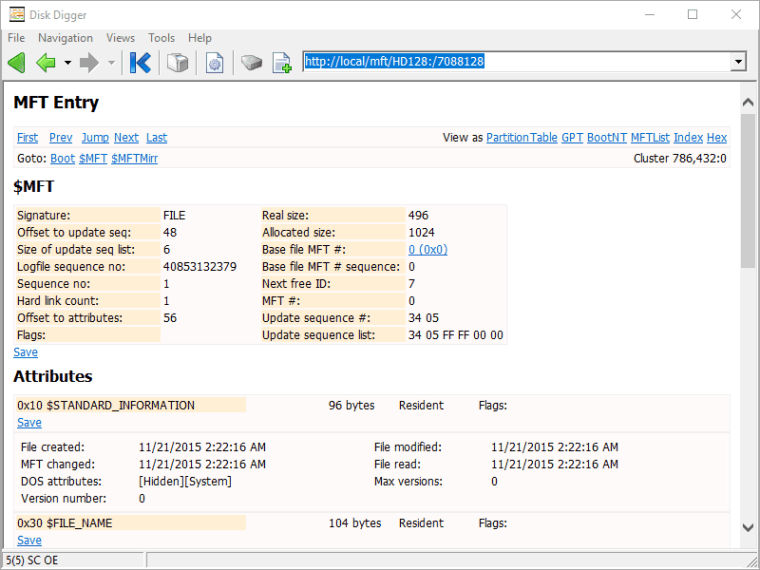
The provided DiskExplorer X scripts show you how to extract files programmatically from NTFS, FAT, EXT, XFS, HFS+, and APFS. You can use these scripts as a blueprint for customized data recoveries or forensic investigations.
You can write additional scripts for other file systems or container structures such as backup files, virtualization volumes, encrypted volumes, or surveillance disks. A rich set of built-in commands lets you access and process disks and image files. You could even develop your own data recovery software based on those scripts.
If a standard recovery software, such as GetDataBack, is not sufficient to accomplish your objective, DiskExplorer X is the perfect tool.
You can create report scripts for data recovery or forensic purposes that no other software offers.
DiskExplorer X consists of two distinct functions,
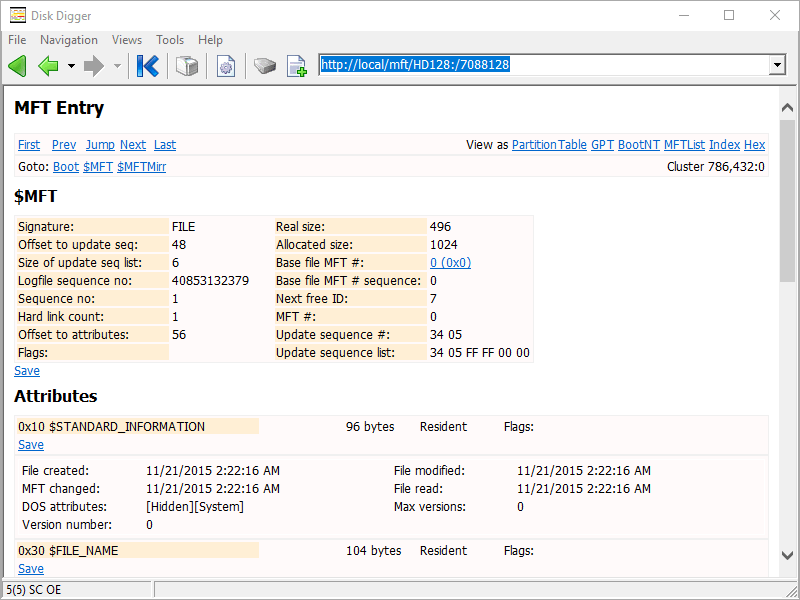
The Explorer address bar tells the program the drive, sector, and View to be displayed. For example, the address
http://local/mft/HD128:/7088128
tells DiskExplorer X to display the content of sector 7088128 on the first physical drive (HD128:) using the script mft.src.
The script editor contains a powerful debugger. You can trace through your script, inspect its flow and variables.
Scripts usually contain many links allowing the user to navigate through the file system as one would navigate a website.
The usage of Internet Explorer enables you to print your windows effortlessly. You can also save the current View or all visited Views into HTML documents. This facilitates documentation of, for example, forensic jobs.